The software found 16,000 duplicate files on my machine. I was very impressed by the capabilities the software can do. Thank you

I would absolutely recommend CFC to anyone experiencing duplicates. I had more than duplicates...in some cases 4, 5, and 6 copies of my vast collection of photos; that resulted from transitioning from one computer to another. CFC was able to identify 247,377 duplicates and freed up 792 GB on my external drive. Plus the customer service was simply amazing. CFC would connect online while the program worked its magic. Several times at 6 in the morning! We connected when it worked for me. How many companies do that? Again - ecstatic to see that customer service prevails. Wish there were more companies with this dedication to helping clients.

CFC did exactly what I needed for reducing the duplicates on my drives. I really appreciate the hash function that is used to identify the duplicates as it takes the worry down about deleting files. PLEASE NOTE - For windows, if you have files that are down deep in directories and/or the file name is really long, then this may cause you issues when doing the compares. This is NOT a CFC problem, its is a windows limitation. Customer/Tech support really shined for me. They helped me understand the windows limitation. So they helped me switch my license to mac, which does not appear to have this limitation.

The product I bought was for removing copies. I
accidentally lost all my data when my computer crashed in the middle of a
drag-and-drop. The program worked amazingly with a small batch (tested first
to
see how it works). When the computer crashed in the middle of the
drag-and-drop,
I lost my folder. I searched everywhere and lost tens of thousands of files.
I
sent in a request for a refund since I couldn't use the product at this
point. I
received an email the very next day with instructions and questions and they
were going to help me retrieve my data. I hadn't purchased a data recovery
program, so I was elated. They went above and beyond. I've had lots of
programs
over the years and not one of them has ever tried to help to keep the
customer
happy, so I would be very proud of that fact. Please keep up that level of
commitment in a day and time where money usually is the only thing that
matters.
Thank you again for your assistance.
Date of experience: February 01, 2023
HE
I bought Clone File Checker some five or six years ago and I can still count of the support team for help even now. The product is brilliant. I recommend it to anyone, who like me, has so many external drive and duplicate files here and there. This tool just sniff out duplicates like magic.,
Date of experience: April 10, 2023

I've tested multiple software options for managing duplicate files, and Clone Files Checker (CFC) stands out as the easiest and most user-friendly solution. Its interface is intuitive, making the process a breeze. Additionally, CFC's impressive speed and reliability ensure accurate detection and removal of duplicate files. The customer support team is quick and professional, adding to the overall positive experience. I genuinely enjoy using CFC and extend my gratitude to the developers and their exceptional team.
Date of experience: May 30, 2023
SH
Had a small issue with my order (my fault) this was sorted out very quicky, great communications. So far the application is doing exactly what I wanted it for. A++
Date of experience: August 28, 2023

Wow! I used PictureEcho and Clone File Checker to get rid of over 1.5 million pictures, documents etc from my computers. I have been searching for tools to find duplicate files effectively for years, With file transfers and various programs used since my first 8088 running Dos, I have had so many files duplicated. Well over 1.5 million pictures, documents, music etc.and no way to tame them. I had 1.7 tb files on an external drive and 650 Gb on my C: After using these programs to wipe out the duplicates I now have everything on my Google Drive and I am down to 325.1 gb of data. This duo is amazing!
Date of experience: September 04, 2023
CF
I have found it superb sorting over 20TB over a month in multiple sets of data👍 Have recommended this software to others as its the only product I have found really reliable. I went for the lifetime licence even though this sort of software may only be needed a few times a year. Cant knock it as it does what it says on the tin!
Date of experience: August 23, 2023
RT
How much duplicate data is there on your PC? You won't believe it, it can be hundreds of Gigabytes especially if you've not deduplicated your Windows 11 for long!
We all know that overtime, duplicate clutter gets accumulated wherever data is stored. Measuring and removing this truly unwanted repeated data becomes close to impossible.
Unfortunately, the similar or duplicate versions of a single file can expose our system to extreme disorganization, which can cause productivity loss.
To take you out of this mess, Clone Files Checker (CFC) Duplicate Finder for Windows 11 comes to rescue.
Here are the 5 reasons you need CFC to keep your computer free from excessive duplicate files:

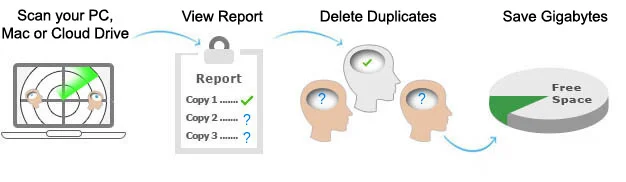
It is difficult to find and then get rid of these zillions of double files, cloned images, identical music files (mp3, mp4, etc), video file copies, duplicate iTunes libraries, redundant documents, and the repeated archive files. The file duplicate cleaner, Clone Files Checker, will delete duplicates and you will be able to rescue 10s of GBs of hard drive space without the need to purchase new storage space.

You can find, review and remove Windows 11 duplicate files in different ways offered by the software. By cleaning your data, you can experience organized computing.

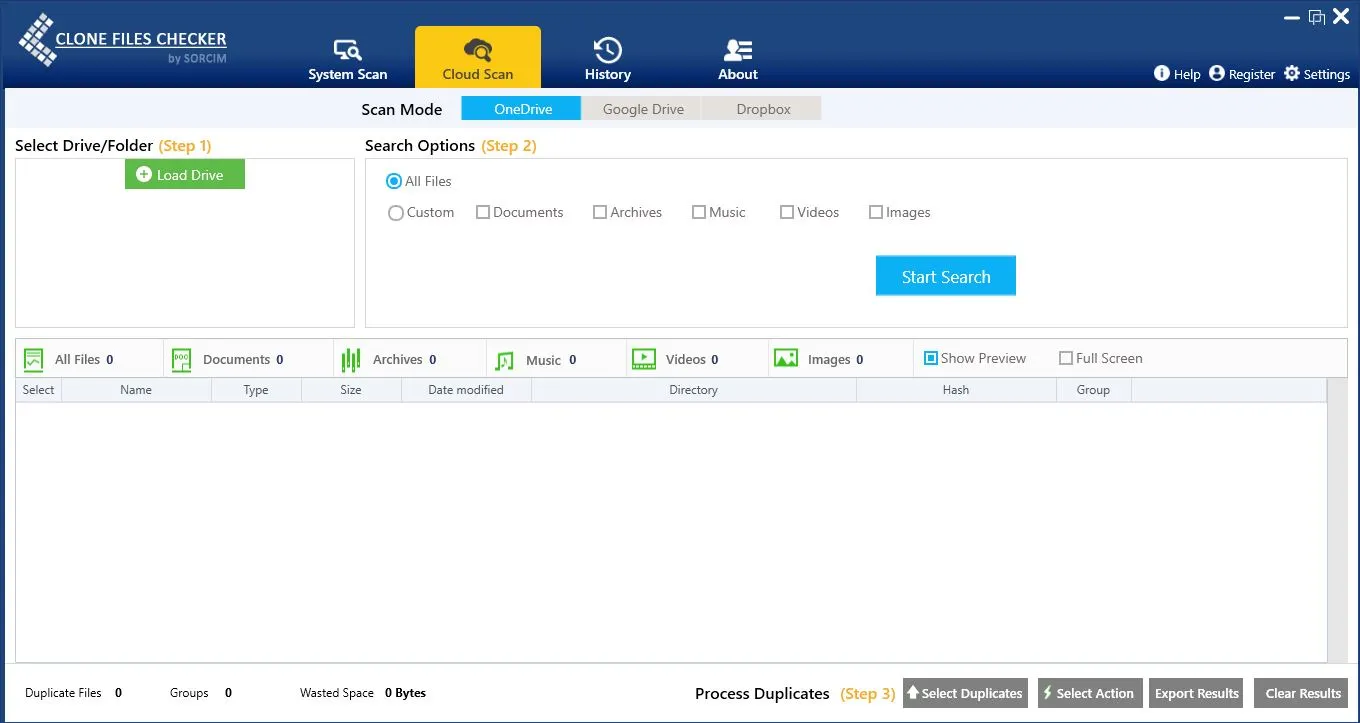
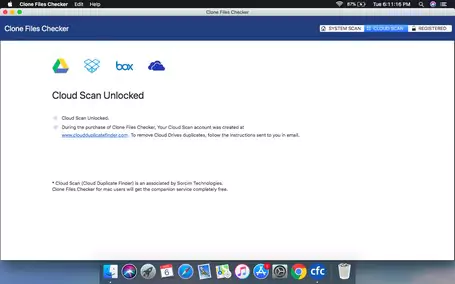
Clone Files Checker scans your OneDrive, Google Drive & Dropbox data for duplicates. In addition, Mac users can also scan their Amazon S3, and Box Cloud data and remove duplicate files, photos, songs, and videos by using their complimentary Cloud Duplicate Finder account. The whole process is safe and employs the latest data protection tools at all stages.

Achieve work productivity by organizing data and making the system lighter through cleaning duplicate files in Windows 11 with Clone Files Checker. You will be amazed to know that a system with less redundancy helps users be more productive with their files work.

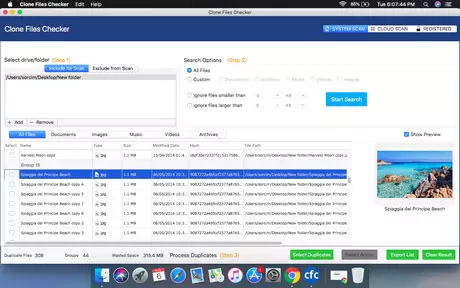
Using this efficient duplicate files management tool, limit the cost of online data storage in case your computer is running short of hard drive space. Clone Files Checker safely removes duplicate files in a way that the essential files are not deleted from the computer. It allows users to preview the files scanned and move them to a new folder for another detailed view.
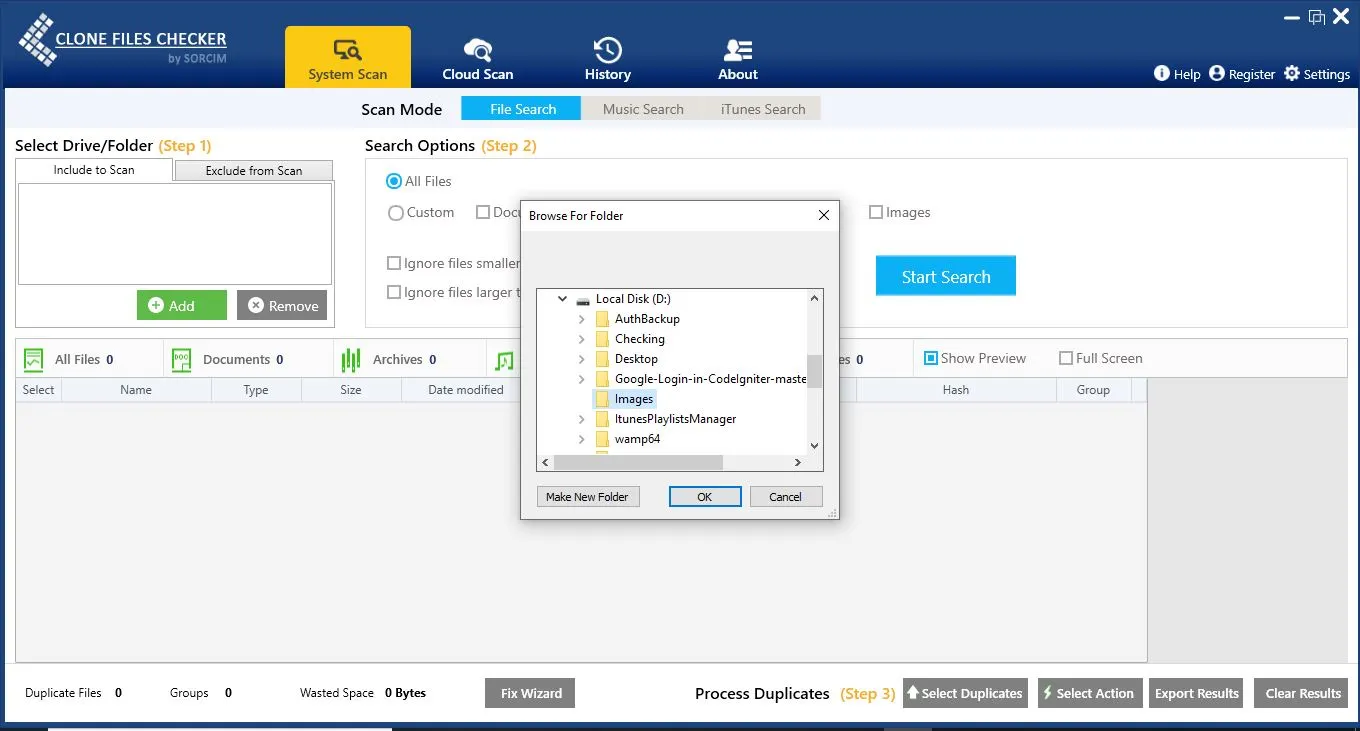
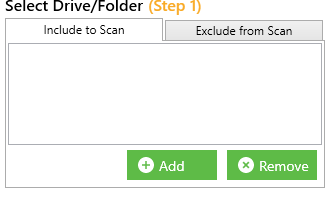
Using this feature, users can select one or several folders to find duplicate files by running a scan.
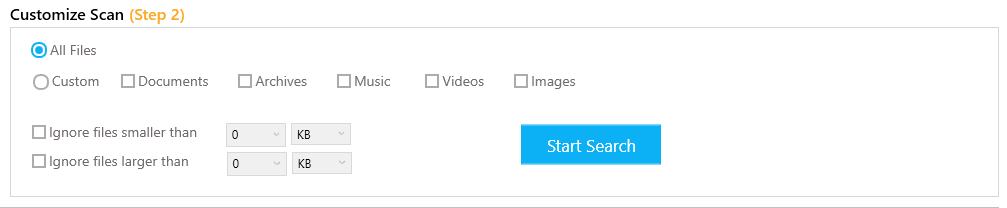
Users can also customize the scan by filtering files based on different categories like Documents, Archives, Music, Videos, and Images.
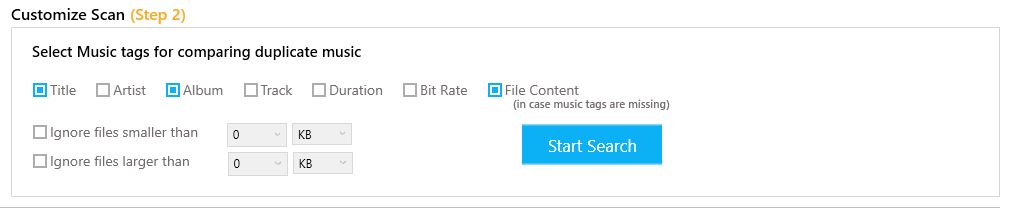
This duplicate file remover for music scans files based on their tags like Title, Artist, Album, Track, Duration, and Bit Rate. In case the tags are missing, it scans the file content to filter duplicate files.
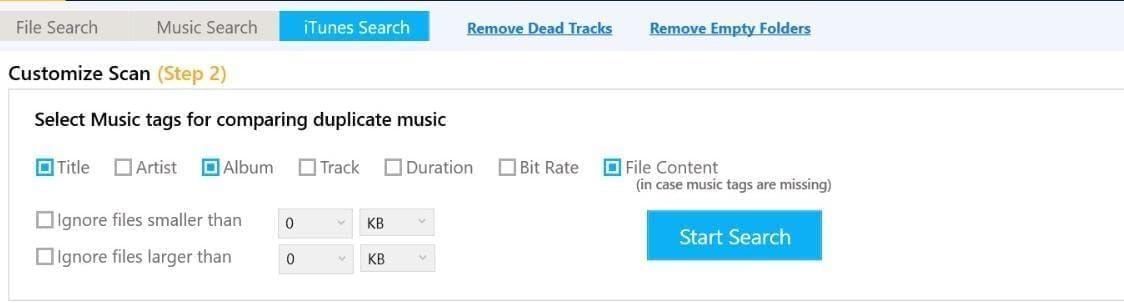
With this feature, users can quickly scan their iTunes library to locate duplicate songs. There is also an option to customize the scan where iTunes duplicate songs are searched based on selected parameters such as Title, Album, Artist, Duration, Bit Rate, etc.
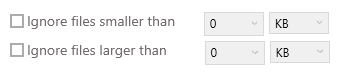
Besides filtering different file formats, Clone Files Checker also allows size-based search. Users can set the minimum and maximum size limits for the files they want to be scanned.
The software can not only remove duplicate files, but it also helps locate and delete dead tracks and empty folders with just one click.
The software's companion service Cloud Duplicate Finder can deduplicate cloud files and visually similar images in just a few minutes. The supported Cloud platforms are Google Drive, OneDrive, Dropbox, Amazon S3, and Box.
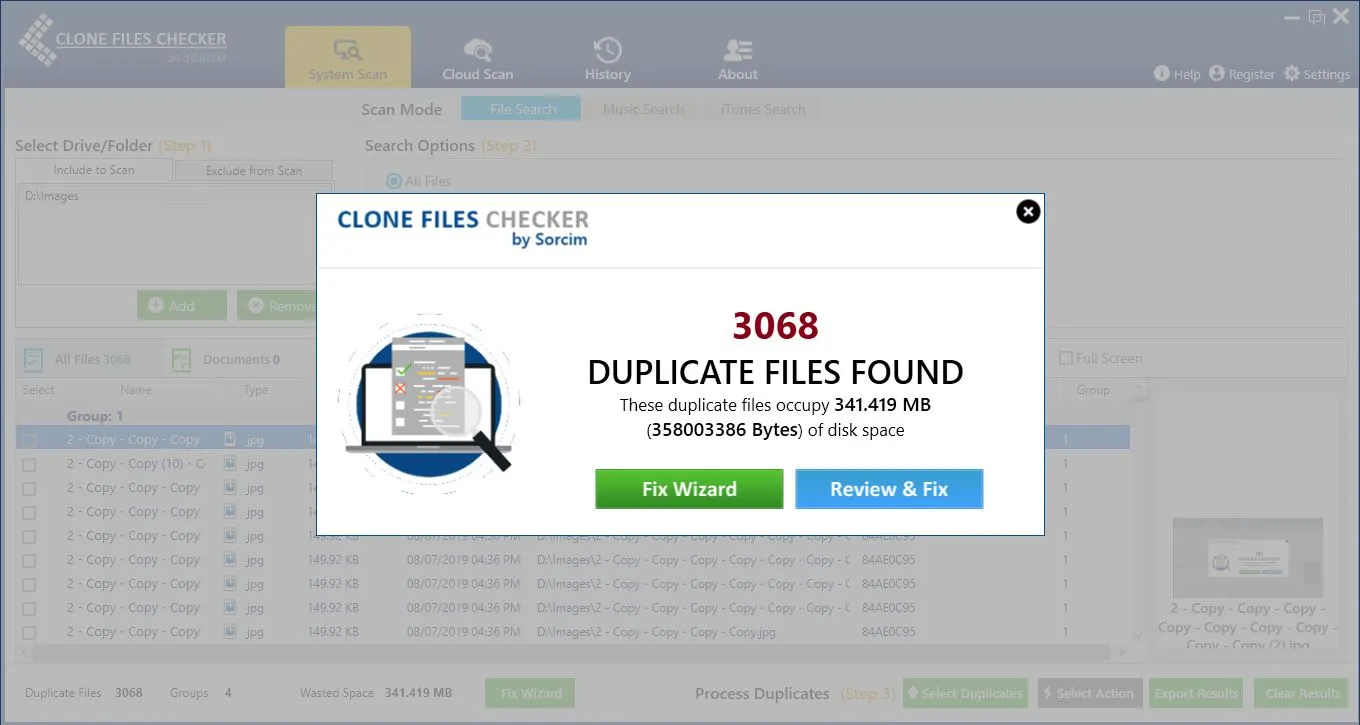
This Sorcim-powered duplicate cleaner also displays attributes of all the duplicates, including their name, type, size, title, directory, etc.
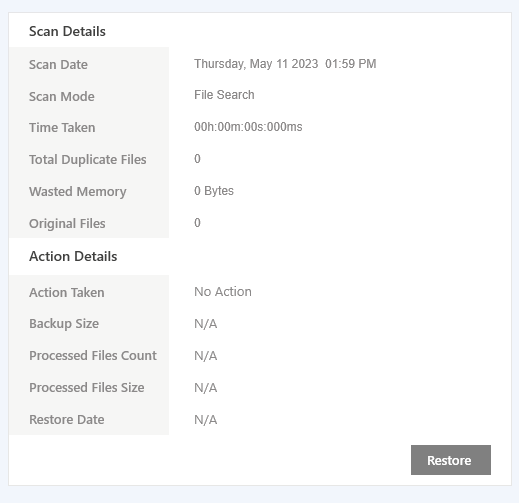
In the software's history section, one can easily access a detailed overview of all the previously performed scans. It includes everything from scan date and mode to actions taken.
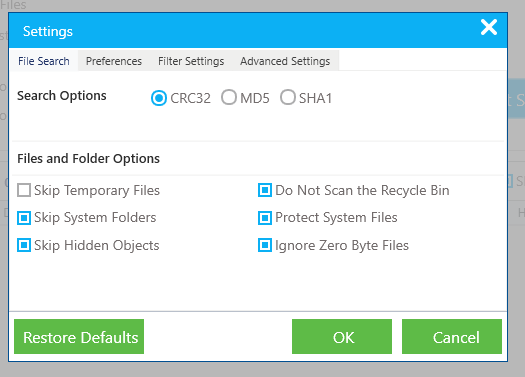
This software has a Settings menu for modifications and adjustments. For example, Filter Settings allows to add/ remove different file types in the categories such as Music, Videos, Images, Archives, Documents, etc. Similarly, users can include specific paths in the Advanced Settings section to exclude them from any scan.
Besides this, they can also set up custom language and backup paths in the Preferences section. The section also allows contains options to
Visiting the About section of Clone Files Checker lets users access different resources that might help them get familiar with its functionalities. It includes commonly asked questions, video tutorials, and a link to customer support.


To see CFC Windows Features, Click here
To see CFC Mac Features, Click here